Print a case
Design a 3D-printed case for your Palpable device. The app builds it around your board and the project's parts. Arrange them, choose openings, and download a 3MF file to print.
Palpable can design a case for your device. It's built around your board and every part the project uses, with an opening where each one needs it.
Open it
Open the project and press Print at the top. On a phone, press the box button, Print a case.
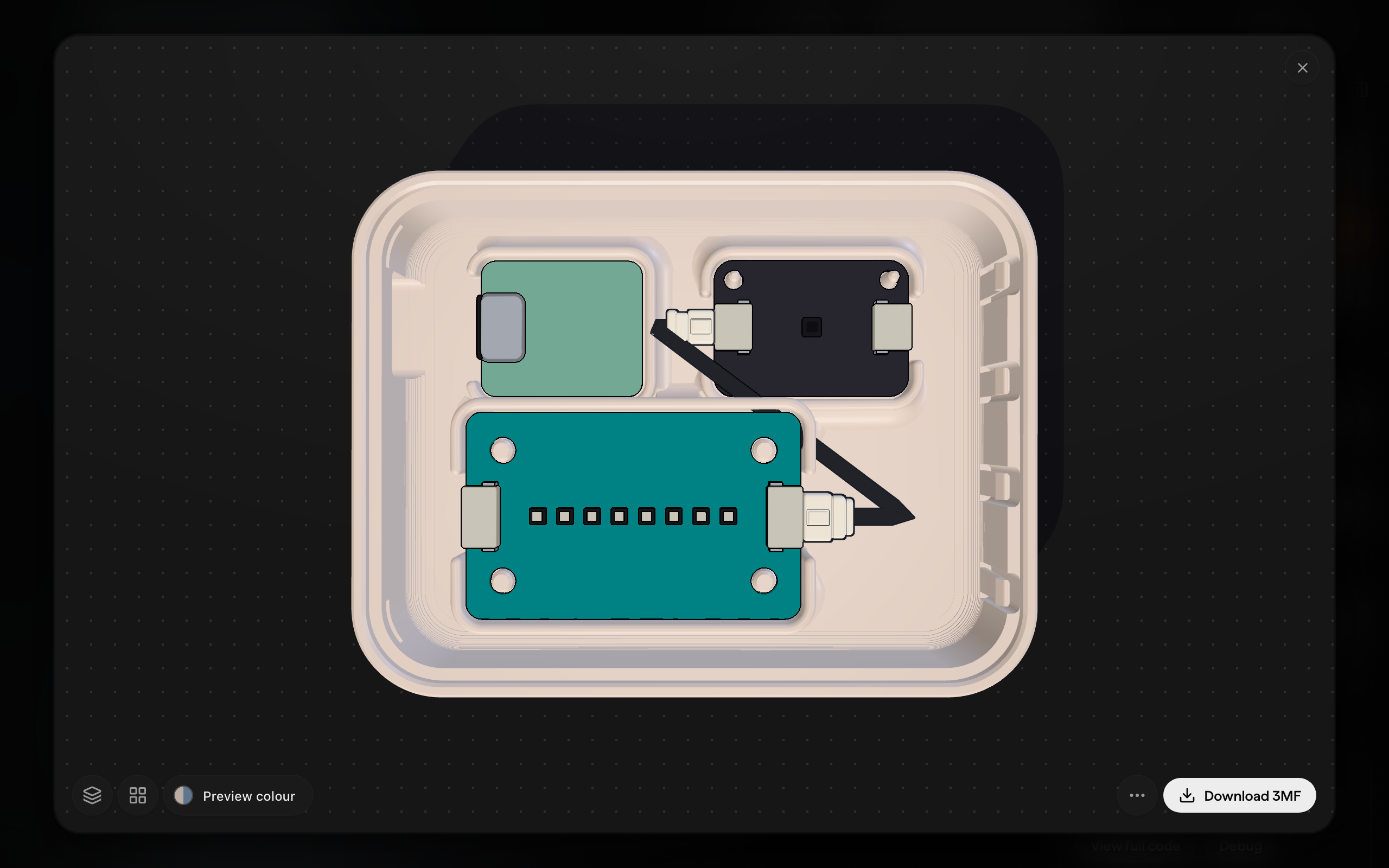
The case appears in 3D, with the parts inside it. Drag to turn it around.
Arrange it
Press a part to select it. Then you can:
- Turn it, or Move up and Move down.
- Set it aside to leave it out of the case. Put it back returns it.
- Swap it for a different part.
- Choose its Openings: which holes the case has for it. The power opening always stays open.
The buttons at the bottom left put the lid on and take it off, and reset the layout to where it started. Preview colour shows the case in another color. It doesn't change the file.
Your choices are saved with the project.
Download and print
Press Download 3MF. You get one file with the case, ready for a slicer such as Bambu Studio or PrusaSlicer. Print it on your own printer, or send the file to a print shop.
Designing and downloading a case is free. It doesn't use credits.
The ••• button beside it has Other formats: the boards on their own, for your own design work. Boards as STEP is 3D, and Boards as DXF is flat outlines with their holes.
If there's nothing to print
No module here has geometry yet means the app doesn't have a 3D model of these parts yet. Every board is set aside means you left the board out. Press it and choose Put it back.
The case designer works in a browser on a computer or phone.
Screens
Put something on a screen plugged into your board. Ask PAL, and it designs the screen. What shows when nothing runs, when the board is offline, and on e-paper.
Plans and credits
What uses credits in Palpable, how many each plan gives you, where to see your balance, top-ups, and what happens when you run out.