Plans and credits
What uses credits in Palpable, how many each plan gives you, where to see your balance, top-ups, and what happens when you run out.
PAL runs on credits. Each plan gives you a number of credits, and talking to PAL uses them. Projects that are already running don't need credits.
What uses credits
- Chatting with PAL. A quick question uses a fraction of a credit. A message that builds or changes a project uses more, up to about 15.
- A build that works. You pay for every round PAL needed to get it working.
- Suggest ideas, when PAL proposes new projects.
- Talking to a project's own PAL, for projects that have one.
- AI apps, when Claude, ChatGPT or another app asks Palpable to do something for you.
Failed builds are free
If PAL can't get a build working, you pay nothing for it. A build you stop yourself is free too.
After four failed builds in a row, PAL asks before trying again:
I couldn't get your last 4 builds working, so they were free. Want me to keep trying? From here, each try uses credits, whether it works or not.
Choose Keep trying or Not now. Once a build works, failed builds are free again.
Plans
| Plan | Credits |
|---|---|
| Free | 50, once. They don't refill. One project. |
| Creator | 100 a month |
| Studio | 200 a month |
| Team | 500 a month, shared by up to three people. Coming soon. |
On Creator and Studio, unused credits keep for a month. For prices, see palpable.technology/pricing.
See your balance
Press the account button at the top of the screen. It shows Personal, or your workspace's name. Your balance is under Credits.
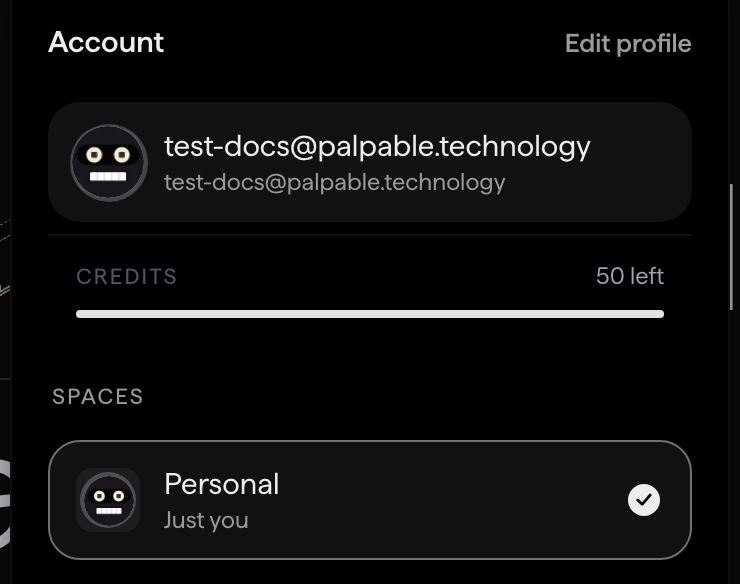
Add credits
When your balance gets low, the app says "Running low. Add credits or choose a plan when you need more." An Add credits button appears under your balance.
Top-ups never expire and stack on what your plan already gives you.
On Free, you can't buy top-ups. Choose a plan instead with View plans.
When you run out
The app says:
Out of credits. Choose a plan or add credits to continue building.
On Free, it says "Out of credits. Choose a plan to continue building."
Running out stops PAL from building, not your devices. Projects already on your boards keep running.
Print a case
Design a 3D-printed case for your Palpable device. The app builds it around your board and the project's parts. Arrange them, choose openings, and download a 3MF file to print.
Settings, one by one
What each page in Palpable's Settings does, from Abilities and Memory to Wi-Fi, Plan & billing and Privacy.